
Meta Pixel (aka Facebook Pixel) is essential to track performance of your Meta ads. You can easily integrate Meta Pixel in Take App.
Find your Meta Pixel ID
-
In Meta Business manager go to Business Settings > Data Source > Datasets and click
Add.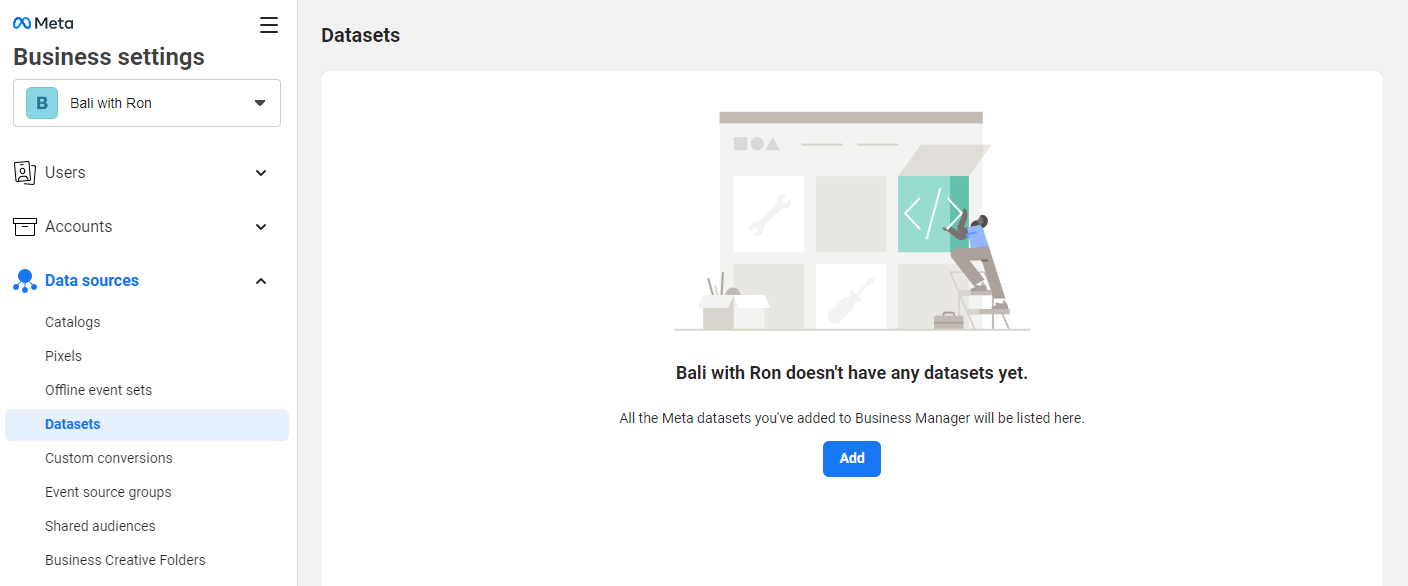
-
Add a new data set and name it accordingly (e.g. Ron's Bar Pixel) > Click
Create.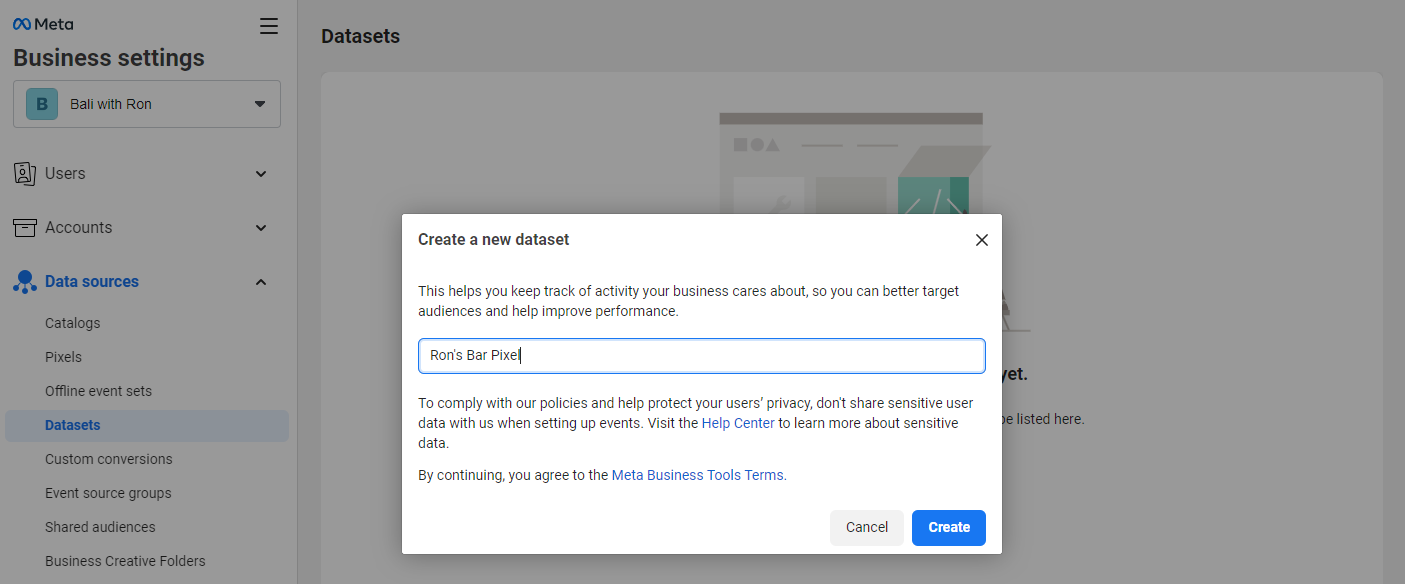
-
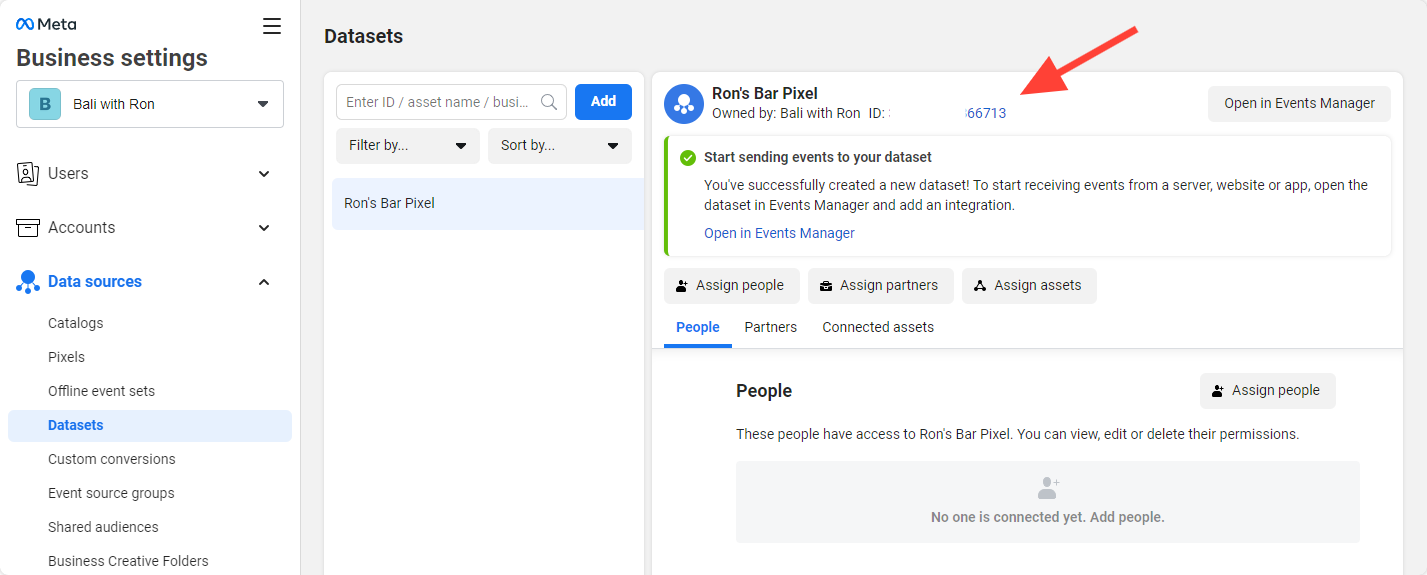
Copy the Meta Pixel ID and Paste it into Take App settings
Setup your Meta Pixel in Take App settings
-
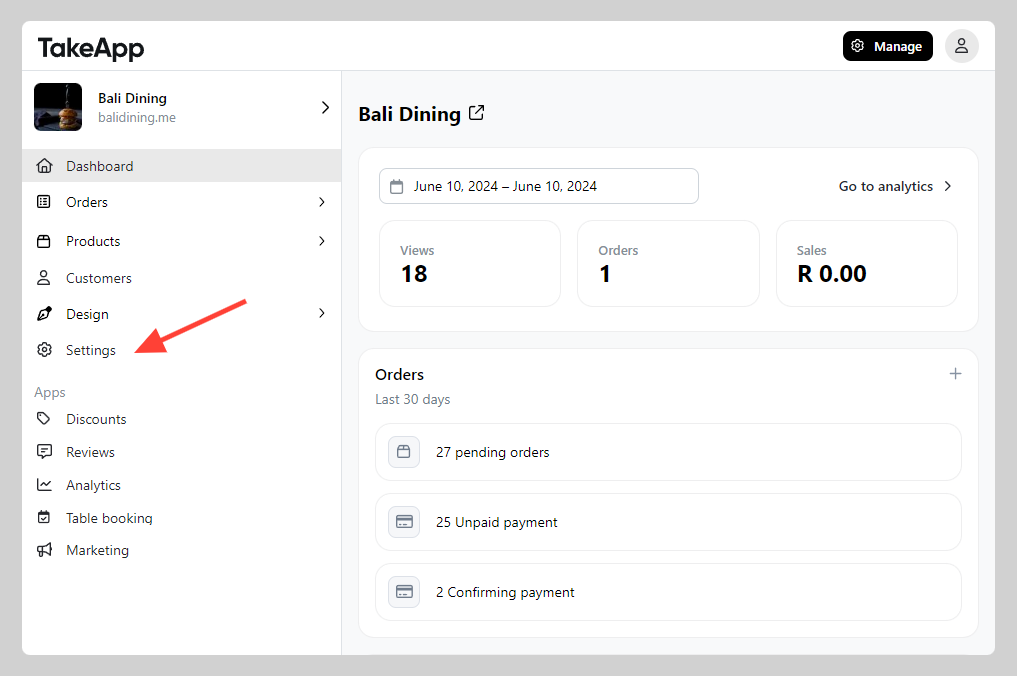
Go to Admin > Settings
-
SEO and Trackings > Enter your Meta Pixel ID and click
Save.
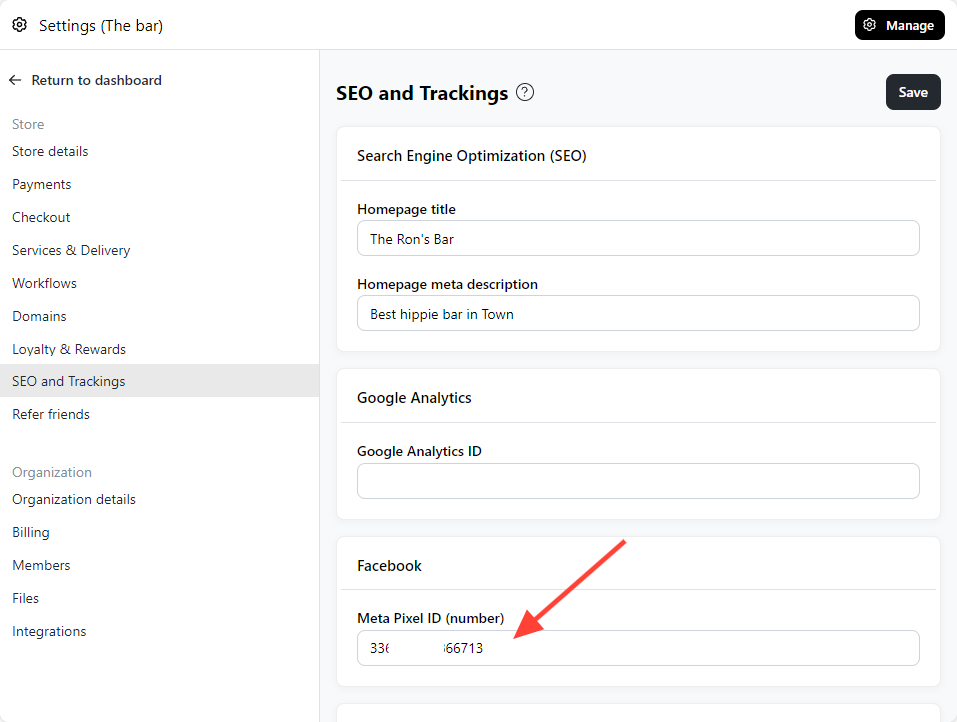
We support following Meta Pixel standard events * View content * Add to cart * Purchase
Check Meta Pixel ID using Chrome Extension
- Download Meta Pixel helper Chrome extension
- Verify if the Meta Pixel ID showing correctly
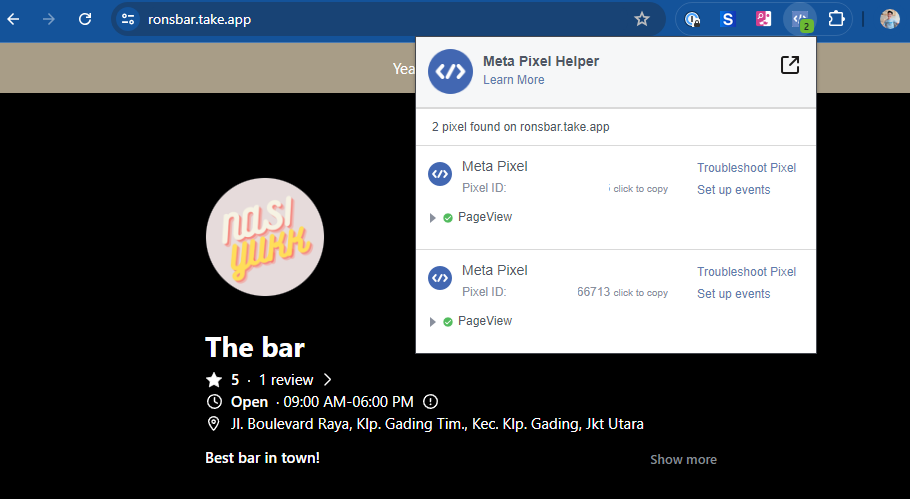
Turn-off your Ads-blocker to be able to check Pixel ID and events