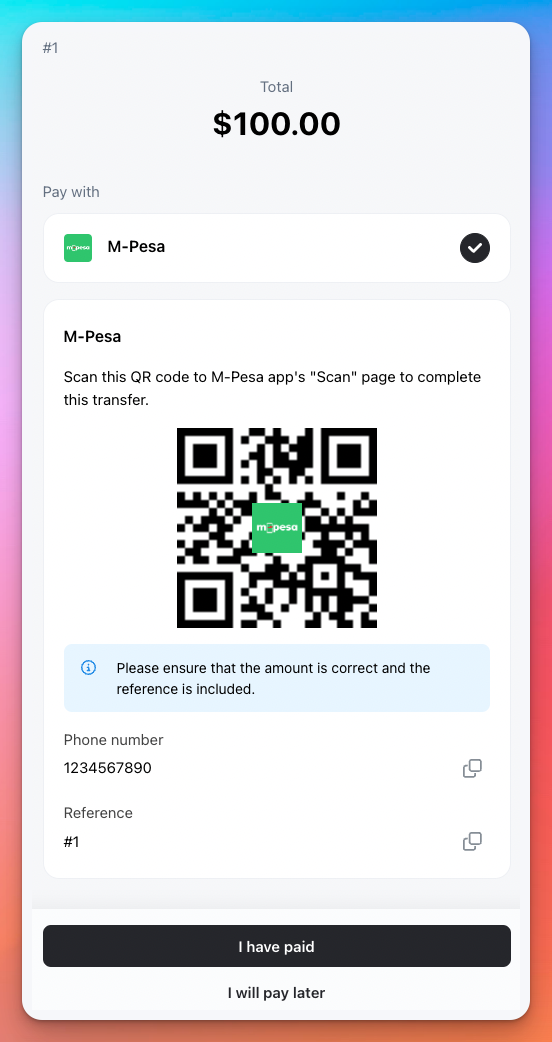
M-Pesa payment is popular mobile money payment in Africa. You can add its QR code payment.
How to add M-Pesa
-
Go to Admin > Settings > Payments and click
Add payment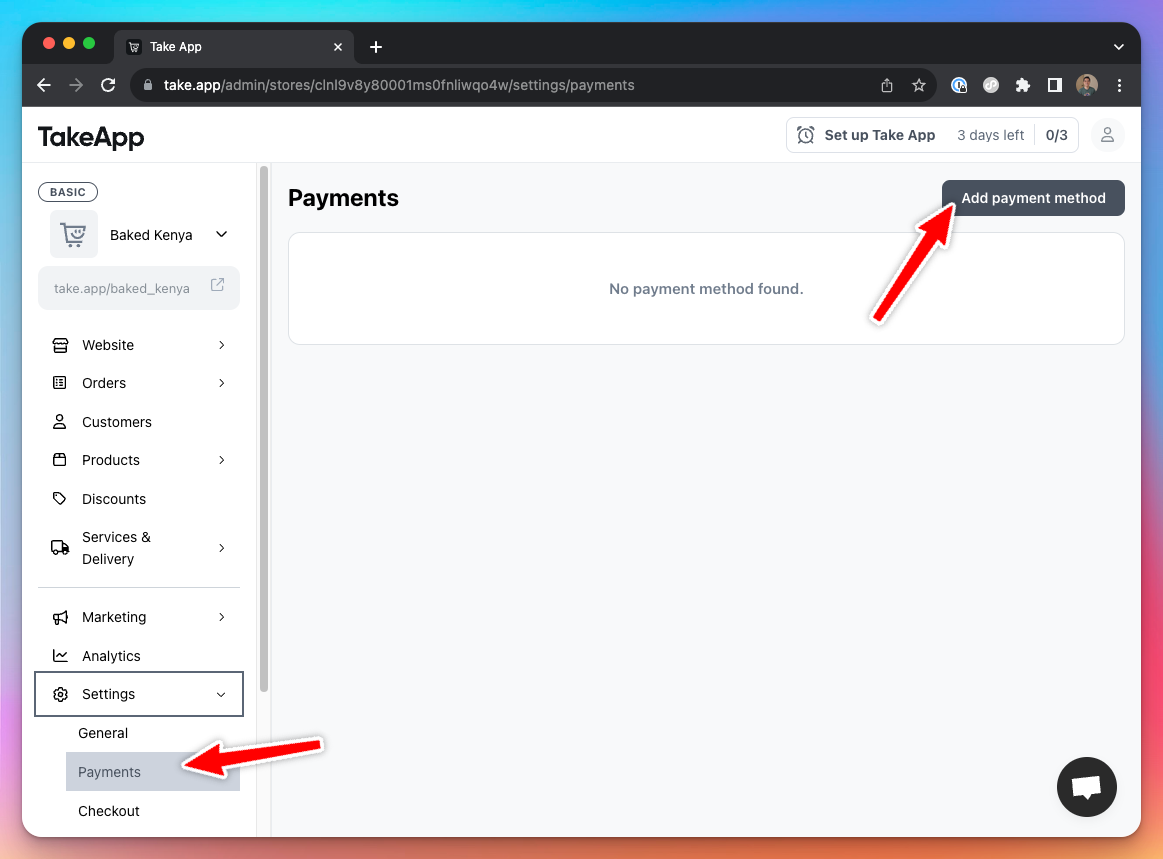
-
Choose
M-Pesapayment method and enter details below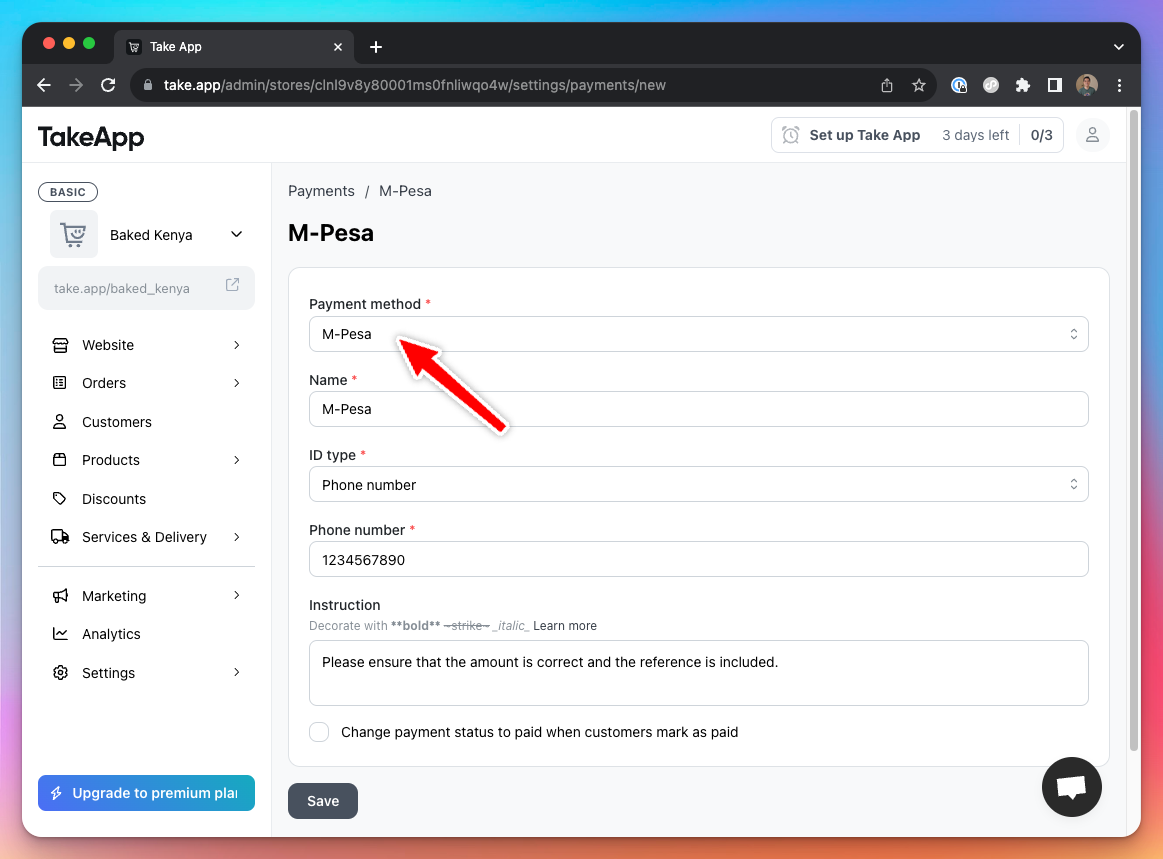
-
Customers will see M-Pesa payment option when they checkout